9 Engraving Ideas Using Tabletop Laser Cutter

There are all sorts of tools and machines that can help with the creation process of various custom items, from jewelry to abstract art. Tabletop laser cutters are a staple in the mix, captivating artists, hobbyists, and professionals alike with their ability to customize a diverse range of materials. These machines are compact yet powerful, making precision engraving doable for everyone. 

What is a Tabletop Laser Cutter?

Tabletop laser cutters are compact machines that cut, engrave, and etch designs onto a medium using a focused laser beam. Unlike traditional cutting tools, these cutters are incredibly precise and able to handle ultra-intricate patterns with ease. 

They’re the perfect addition to a creative workshop—they’re designed to park on a desk or workbench, so you won’t need much room to get started creating with one. 

Benefits of Tabletop Laser Cutters

Tabletop laser cutters offer all sorts of advantages, including: 

  • Compact: The compact design of tabletop laser cutters is a key selling point. You won’t need much space, so they’re perfect for snug studios, small businesses, and hobbyists.  
  • Precise: Tabletop cutters are incredibly precise. They’re accurate enough to create detailed and intricate designs and inscriptions, whether you’re creating a delicate font or a fine lace-look design. 
  • Versatile: These cutters can handle all sorts of materials, including wood, acrylic, metal, leather, and glass. So, whether you’re a mixed medium artist or want to tinker with different materials, these cutters can handle it. 
  • Easy to use: Using these compact machines is incredibly easy. They’re designed with user-friendly interfaces and software, so while there’s a slight learning curve, using them is doable, even for complete newbies. 
  • Cost-effective: Industrial laser cutters are pricey and illogical for smaller creative operations, especially for small businesses and personal use. Tabletop models are a cost-effective alternative that lets you create to your heart’s content without the significant investment of an industrial machine. 

9 Tabletop Laser Cutter Engraving Ideas

Tabletop laser cutters are versatile enough to create all sorts of items, from jewelry to custom art. Here are a few ideas to get the creative juices flowing:

1. Custom Jewelry

    Laser cutters are often used to create custom jewelry. They can handle most metals with ease, engraving your personal designs into your chosen pieces. You can create custom necklace charms, bracelets, and rings, adding names, initials, meaningful dates, or intricate patterns. 

    Your custom pieces can be perfect for adding to your own jewelry collection, gifting to family and friends, or even selling as part of your small business!

    2. Personalized Home Decor

      Ever looked at an engraved piece of home decor and wanted to create your own? A laser cutter can help you do that. They’re an ideal tool for creating customized home decor that matches your specific ideas and preferences, allowing you to harness your creative juices and create pieces that reflect you. 

      They can help you transform your home with custom coasters, wall art, picture frames, and more. For example, you could use the cutter to engrave your family’s last name on a frame for the year’s family photo. Or, you might craft a custom set of coasters with a quirky design featuring inside jokes for your friend’s birthday. The possibilities are endless!

      3. Custom Kitchenware

        While kitchenware might seem like a basic use of your laser cutter, personalized kitchenware is incredibly popular, especially for gifting to the baker in your family. Use your laser cutter to add a personalized flair to functional kitchenware, making those everyday pieces special. 

        You could engrave a cutting board with your sibling’s wedding name, engraving their last name as a cherished memento they can bring with them. Or, you might add a personal touch to serving trays, utensils, and other kitchen items by adding names, recipes, or fun kitchen-related designs. It’s up to you! 

        4. Unique Business Cards

          People receive business cards all the time, often losing them in the mass that they get at events, meetings, and similar functions. With your laser cutter, you can craft business cards that stand out, showcasing your business’s offerings in a clever and eye-catching way. 

          Use the tabletop laser cutter to engrave your logo, contact information, and designs that match your business. Use a color scheme to enhance the elements, and if you’re going for a real eye-catcher, add metallic components to complement the engraved parts. 

          5. Customized Gifts 

            While many of the ideas on this list are giftable, the list of gift-worthy items you can create with a laser cutter goes on. Get creative! Craft a custom keychain, engrave a unique design on a phone case, or add personal flair to a custom bookmark. 

            The design possibilities are endless—add special messages, names, dates, or intricate designs to make each gift special. 

            6. Custom Awards and Trophies

              If you’re using the laser cutter for your business, you could create all sorts of intriguing awards for corporate events, sports competitions, or special recognitions. Use the laser cutter to engrave trophies, plaques, and medals. 

              You could create custom medals for a school, engraving the name of the winner and the school’s logo. Or, you might create a funny trophy as part of a team bonding event. 

              7. Engraved Stationery

                With a laser cutter, you can take your stationery game to the next level. Creating intricate custom stationery can take lots of time, but with a laser cutter, the process becomes much easier. You can engrave all sorts of stationery, such as notebooks, pens, and planners, with names, initials, and motivational quotes. 

                These make perfect gifts for professionals, students, and anyone else who appreciates organization!

                8. Custom Signage

                  Need to craft a visually appealing sign for your business, office, home, or event? Use your tabletop laser cutter! It’s a quick and simple way to create custom signage, allowing you to do it all on your own without having to enlist professional assistance. 

                  Engrave a nameplate, house sign, desk sign, or whatever else you can think of. For a personal touch, add detailed designs, addresses, or professional titles. 

                  9. Creative Art Pieces

                    If you’re artistically inclined, use your laser cutter to craft creative art pieces. You can make everything from abstract designs to detailed landscapes to portraits. While you’ll still need to craft the design, the laser cutter can make the actual creation process much easier. 

                    These pieces can be the perfect addition to your home decor, artistic portfolios, or even your art business!

                    Craft Personalized Products With a Tabletop Laser Cutter From AGC Education

                    Whether you want to engrave a meaningful date on a locket or turn up your creativity with an abstract art piece, a tabletop laser cutter can help. These machines are incredibly useful, allowing you to create whatever you can dream up. Design it in the cutter’s software, then use the machine to bring your dreams to life!

                    Ready to start creating with a tabletop laser cutter? At AGC Education, we have everything you’ll need to get started, from the Laser Lab Desktop Laser Engraver Cutter to the supplies to start creating. Contact us today at 1 (800) 535-7553 to learn more today!

                    9 Essential Laser Engraving Supplies

                    Laser engraving is a fun and rewarding method that allows you to exercise your creative muscles and craft custom designs on a variety of materials. Laser cutters are incredibly precise, allowing you to create ultra-intricate designs that would take far longer if you did them by hand. 

                    Of course, like most hobbies, you’ll need a few things to get started with your engraving projects. Here are a few things to add to your collection before you begin crafting custom projects:

                    1. Laser Engraving Machine

                      A laser engraving machine is the most important piece of equipment for any laser engraving project. After all, it’s hard to engrave with lasers if you don’t have the machine to do it with. There are plenty of options available, including many sizes and power levels. 

                      If you’re a hobbyist or small business, a tabletop laser cutter might be the best option. If you need a large-scale option, an industrial laser engraver might be your best bet. Choose the option that best suits your needs and creation goals. 

                      2. Safety Gear

                        While generally considered safe to use, it’s always better to be safe than sorry when using your laser engraver. You won’t be directly exposed to the laser, but it’s important to act like you will be. 

                        Wear safety glasses to protect your eyes from the laser beam and any stray reflections. Make sure the area is well-ventilated, especially if you’re working with acrylic, wood, or leather. Have a fire extinguisher on hand in case of emergencies. 

                        3. Materials

                          You’ll need something to engrave your custom designs onto. Laser cutters are compatible with a wide range of materials, including wood, acrylic, metal, glass, leather, and cardboard. The best material for your project will depend on what you’re trying to create. 

                          For example, if you want to create a plaque, you might use a pre-made blank glass plaque. Or, if you’re creating wood coasters, you might start with blank wood cookies. Choose the laser engraving material that suits your design goals. 

                          4. Design Software

                            Design software is integral to creating custom designs. There are all sorts of software options available, some easier to navigate than others. Choose the option that works best for your needs or the one that you’re most familiar with. 

                            5. Laser Engraving Software

                              Once your design is ready to go, you’ll need to bring that design to your laser engraving software. This software translates your designs into a language the laser engraver can understand. There are multiple options out there, but not all might be compatible with your laser engraver. Verify that the software is compatible before selecting one to transfer your design into. 

                              6. Calibration and Maintenance Tools

                                Your laser cutter needs to be properly calibrated and well-maintained to ensure it can do its job correctly. Before you begin using your machine, remember to calibrate it. This might require various tools, such as focus gauges and alignment tools. 

                                Additionally, you may need a lens cleaning kit to keep the laser lens free of debris and lubricants to maintain moving parts of your machine. Take a look at the maintenance and calibration instructions provided with your laser cutter to ensure you take the proper precautions and steps. 

                                7. Masking Materials 

                                  If you’re not engraving or cutting all of your materials, it’s important to mask it off. This can help reduce burn marks and residue, ensuring the untouched areas look, well, untouched. The best masking material for your project will depend on the medium you’re using. You might use painter’s tape for more durable materials, but if you’re working with delicate materials, transfer tape might be the better option. 

                                  8. Measuring and Marking Tools

                                    Precision is an integral part of laser engraving. Of course, the laser can only do its job if you measure and mark properly. Use calipers, marking pens, and rulers to ensure your materials are accurately placed and aligned as necessary. This will ensure the machine can do its job, creating precise cuts as needed to create the desired effect. 

                                    9. Cleaning Supplies

                                      Last but not least, you’ll need cleaning supplies. After all, you’ll need to reset your workspace after each engraving project to ensure you have a clean place to start the next time you want to create. Always clean the machine according to the manufacturer’s instructions—they might recommend specific cleaning supplies or products to use.

                                      Each time you clean, start by removing dust and debris from engraved surfaces. Wipe the area with a microfiber cloth, using cleaning solutions as necessary to restore your workspace to its former (clean) glory. 

                                      Start Laser Engraving Today With AGC Education’s Supplies

                                      Once you’ve gathered all of your essential laser engraving supplies, you can get started creating all sorts of custom designs. Engraved leather journals, personalized keychains, custom jewelry—the possibilities are endless. 

                                      If you’re ready to start exercising your creative muscles with engraving projects, we have what you need. At AGC Education, we have everything from the laser cutter itself to the supplies you’ll need to start engraving. Contact us today at 1 (800) 535-7553 to learn more today!

                                      How To Make Custom Magnets for Your Classroom

                                      If you want to spice up your teaching game with fun lesson tools or decorate your classroom with a personalized touch, custom magnets made with printable magnet material might just be what you need! This flexible and thin material is compatible with various types of printers, making it an excellent (and affordable) way to create personalized magnets with beautiful designs. 

                                      It’s quick and easy, only requiring a few steps to create stunning magnets. Here, we’ll explore the steps involved in the process to help kickstart your magnet-making journey. We’ll even share a few of our favorite ideas for using custom magnets in the classroom. So, without further ado, let’s get started!

                                      What is Printable Magnet Material?

                                      Printable magnet material is a thin, flexible material that can go through certain types of printers. While noticeably thicker than paper, it’s still thin enough to pass through a standard inkjet printer and exit with a beautiful design. 

                                      It’s flexible, so it has no issues passing through the internal mechanisms of a printer. It’s solid black on one side – this is the magnet side. The other side features a white coating that can be glossy or matte – this is the side you print your designs on. 

                                      Using this material, making custom magnets without a complicated, drawn-out process is simple. It only takes a few steps to start creating personalized designs that perfectly match your magnet-making needs. 

                                      How to Make Custom Magnets With Printable Magnet Material

                                      Making custom magnets with your printable magnet material is straightforward. However, you’ll need to avoid using excessive heat on the material, as most sheet materials of this kind can only handle temperatures of up to 70 degrees. 

                                      Due to these restrictions, it’s best to print your designs on the material using an inkjet printer. Laser printers get far too hot for the material, so you can’t use them for printing magnets. 

                                      Choose Your Designs

                                      The first step is one of the most exciting parts of the process. In this step, you’ll choose what designs you want to print on your magnets. Choose high-quality photos with solid resolution to ensure a crisp, clean finish. 

                                      Arrange the images in a Word document, Google document, or similar document, ensuring there’s plenty of room between each design for cutting clearance. If the designs are too close, you may have a tough time cutting around one design without accidentally cutting the one next to it. So, be sure to leave enough room for easy cutting. 

                                      Adjust the Settings for Your Printer

                                      Before you begin printing, you’ll need to tweak the settings on your printer. This process will vary based on the type of printer you have. Ensure you select “Glossy” for the paper type if your magnet material is shiny. 

                                      Verify that the printer is set to one-sided, as a double-sided print won’t work well. If your printable magnet material comes in a continuous roll, cut it into sheets in a size your printer can handle. 

                                      Add the Material to the Printer

                                      Once the settings are correct and you’re ready to start printing, add the printable magnet material to your printer. 

                                      Pay attention to how your printer takes the paper. Ensure you place the magnet material to print on the white side. If your printer prints on the underside of the paper you put in it, make sure you add the magnet material upside down. 

                                      It’s best to load one sheet at a time so you don’t overload the printer or risk smudging the final product. 

                                      Start Printing

                                      Once your designs are ready, the settings are all set, and you’ve loaded the material, it’s time to print! Before you print the entirety of your designs or bulk orders, test print one simple design using the current settings. If the print comes out poorly, tweak the settings as necessary to achieve a crisp, clean result. 

                                      After you get a beautiful initial print, start printing the rest of your magnets. 

                                      Cut the Magnets to Size

                                      Your last step is to trim the magnets to size. Cut off the excess surrounding each design, trimming as necessary to achieve the desired result. This process should be a breeze if you leave enough space between each design!

                                      Your magnets are ready to use once you finish wrapping up the trimming process!

                                      Fun Custom Magnet Ideas for Your Classroom

                                      The sky is the limit when crafting custom magnets for your classroom. Here are a few of our favorite ideas:

                                      • Sight word tray: Print various words on a magnet sheet and place the cut-out word squares on a cookie sheet. Have your students create sentences, find specific words, and similar tasks by arranging the words on the cookie tray. 
                                      • Gifts: Need a creative way to help your students craft personalized gifts for Mother’s Day, Father’s Day, and other holidays? Let them create a custom design and print it onto a magnet for a cute, personalized gift. 
                                      • Decorations: Use the magnets to decorate lockers, doors, and other metal materials throughout your classroom and create a space that sparkles with unique flair. 

                                      Craft Your Own Custom Magnets With Printable Magnet Material

                                      Gone are the days of boring magnets with generic designs. Now, you can make custom magnets with little to no effort – all it takes is a few simple steps to choose the perfect design and transfer it to a piece of printable magnet material!

                                      They’re incredibly versatile, working perfectly for creative classroom fun, decorations, and cute custom gifts. Whether you want to use your custom magnets for educational purposes or to add a splash of spice to your classroom’s decor, the possibilities are endless. 

                                      Ready to get started making your own custom magnets? Try our printable magnet material from our arsenal of educational supplies at AGC Education. Contact us today to learn more about our printable magnet material and how it can help you create beautiful, custom magnets!

                                      Resources for Teachers: Where to Print Posters for Your Classroom

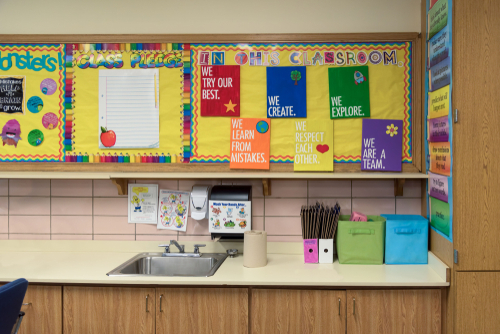
                                      Posters can be a fun way to liven your classroom with personalized decor. You can incorporate motivational sayings, helpful tips and tricks for various lessons, or reminders to keep your students on track. But before you can adorn your classroom with well-designed posters, you’ll need to print them. 

                                      There are a couple of options for printing your posters, each dependent on your preferences and budget. Here, we’ll explore where to print posters for your classroom. 

                                      Step 1: Design a Classroom Poster That Pops

                                      A great classroom poster starts with a thoughtful design. Before you think about printing, it’s worth taking a few minutes to plan your layout, color choices, and message.

                                      Most teachers design posters in online tools like Canva, Adobe Express, or PosterMyWall. These platforms make it easy to drag and drop elements, adjust colors, and start from templates made for education.

                                      When you create your design, start with the right size. For standard classroom displays, a 24” x 36” poster (in portrait or landscape) offers strong visibility without overwhelming wall space. Once you’ve designed your poster, export it as a high-resolution pdf file.

                                      If you need a place to start, consider using one of our classroom poster templates. They can be printed as is, or customized to fit your classroom needs.

                                      Step 2: Choose Where to Print Your Classroom Posters

                                      Once your design is ready, the next step is deciding where to bring it to life. The right printing option depends on your budget, timeline, and how often you plan to print. Below, we break down the most common approaches teachers use to create high-quality classroom posters.

                                      Option 1: Print Posters Online (Best for Small Quantities)

                                      Online printing services are convenient and beginner-friendly, making them a popular choice for teachers who need just a few posters. Websites like Vistaprint, FedEx Office, and Staples let you upload your design, choose your size, and place an order from your desk.

                                      Pros

                                      • Simple and quick to order
                                      • Accessible from any device
                                      • Pre-designed templates often available

                                      Cons:

                                      • Costs can add up if printing multiple posters
                                      • Shipping times vary and may delay your project

                                      This option works well for one-off classroom posters, small projects, or gifts, but it’s less ideal for schools that print regularly.

                                      Option Two: Print Locally (Best for Rush Orders or Oversized Projects)

                                      Your nearby print shop can be a great resource, especially if you need larger posters, laminated finishes, or same-day turnaround. Local shops often provide hands-on support and may assist with file formatting or color adjustments to ensure your poster looks professional.

                                      Pros:

                                      • Quick access for urgent projects
                                      • Additional services such as lamination, mounting, or specialty paper
                                      • Opportunity for in-person, local support

                                      Cons:

                                      • Prices can vary, especially for specialty projects
                                      • Can requires travel and coordination, which can take time away from teaching

                                      Local print shops are perfect for occasional, high-quality poster prints, but ongoing printing needs can become expensive and time-consuming.

                                      Option 3: Print Posters at School (Best for Frequent Use and Budget Savings)

                                      For schools that need regular posters for classrooms, hallways, or events, investing in a school poster printer is often the smartest choice. In-house printing allows teachers to create posters anytime without extra shipping or service fees, and the initial investment pays off over time.

                                      Why Schools Are Investing in Poster Printers

                                      Many schools are choosing in-house poster printers to cut costs, save time, and empower teachers. Instead of paying $10–$25 per print online, a school can invest in one printer that can produce posters for years. Teachers can quickly print seasonal displays, motivational posters, or student work without waiting for shipping or worrying about external print costs.

                                      Poster Printing Cost Comparison

                                      Before you invest in classroom printing, it’s helpful to understand how each option compares in cost and convenience. This poster printing cost comparison chart breaks down the estimated price to print a 24” x 36” classroom poster, along with important notes about materials, print providers, and long-term value. Actual prices may vary depending on your paper type, finish, and location.

                                      MethodCost Per PosterOther ConsiderationsBest For
                                      Online Print Services$30 – $35Shipping speed and cost, limited customizationSmall quantities, one-time projects
                                      Local Print Shops$10 – $20Travel, turnaround timeOversized projects and local support
                                      School Poster Printer$1.50 – $4.50Convenience, long-term savingsEveryday printing and easy access for teachers

                                      The Smart Way Schools Print Posters Today

                                      Forward-thinking schools are moving away from the hassle and expense of outsourcing. Instead of paying per print job or waiting on a local shop, many are investing in school poster printers that make it easy to create high-quality visuals on demand.

                                      Why Schools Choose the Educator Plus Poster Printer

                                      With an Educator Plus Poster Printer, schools aren’t just saving money — they’re gaining flexibility. Teachers can print whenever inspiration strikes, whether it’s for a new SEL initiative or a last-minute event. There’s no minimum order, no shipping delay, and no waiting on someone else’s timeline.

                                      Administrators also love the budget transparency: instead of unpredictable per-print fees, the investment in a school printer pays for itself after just a few dozen posters. Over time, it’s one of the most cost-effective and empowering tools a school can own.

                                      AGC Education offers three models designed specifically for K–12 environments:

                                      How AGC Education Helps Schools Succeed

                                      Choosing the right printer is only part of the solution. What makes AGC different is how we partner with schools long after installation. Every Educator Plus Poster Printer includes access to exclusive educator support tools designed to help teachers and staff get the most from their equipment:

                                      • Personalized Training – Every school receives live, hands-on training tailored to its staff, curriculum goals, and technology setup. We make sure your team feels confident using the printer from day one.
                                      • On-Demand Support – Need help with setup, troubleshooting, or creative projects? Our U.S.-based support team is always available by phone or email to assist when you need it most.
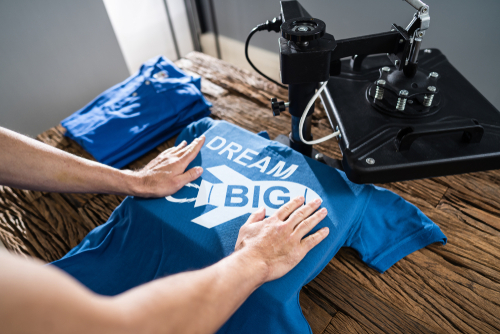
                                      • Specialty Projects – Go beyond posters! We’ll help you create custom banners, stickers, magnets, window clings, t-shirts, and more using specialty materials and easy-to-follow project guides.
                                      • EmpowR Academy – Tap into professional development modules and tutorials that show educators how to integrate printing into PBIS, SEL, CTE, and academic programs.
                                      • Resource Library & Ongoing Updates – We continually add new templates, guides, and project ideas, so your school’s investment keeps delivering value year after year.

                                      Frequently Asked Questions About Classroom Poster Printing

                                      What’s the most cost-effective way for schools to print classroom posters?

                                      Investing in an in-house school poster printer, like AGC’s Educator Plus, is typically the most cost-efficient solution. After the initial investment, the ongoing cost per poster is much lower than using online or local print services.

                                      Can teachers print posters from Canva or Google Slides?

                                      Yes! Designs created in Canva, Google Slides, or similar platforms can be exported as high-resolution PDFs or images and printed directly on an AGC poster printer for vibrant, professional results.

                                      What sizes are best for classroom posters?

                                      Standard sizes for classroom posters are typically 24” x 36” — large enough to be visible across the room but small enough to fit on walls without overwhelming space.

                                      Can a poster printer handle specialty projects beyond posters?

                                      Yes! Many schools use the Educator Plus poster printer to create banners, stickers, magnets, window clings, and even t-shirts.

                                      How do schools afford poster printers?

                                      Many schools use technology budgets, PTA/Parent fundraising, or federal grant programs like Title One to fund poster printers. Some districts also offer professional development funds or innovation grants that can cover part of the cost.

                                      Teacher Resources for Classroom Printing and Posters

                                      Looking for ways to make classroom printing easier and more impactful? Explore teacher resources for classroom posters, templates, and specialty projects that help you create engaging visuals, save time, and bring learning to life — all in-house.