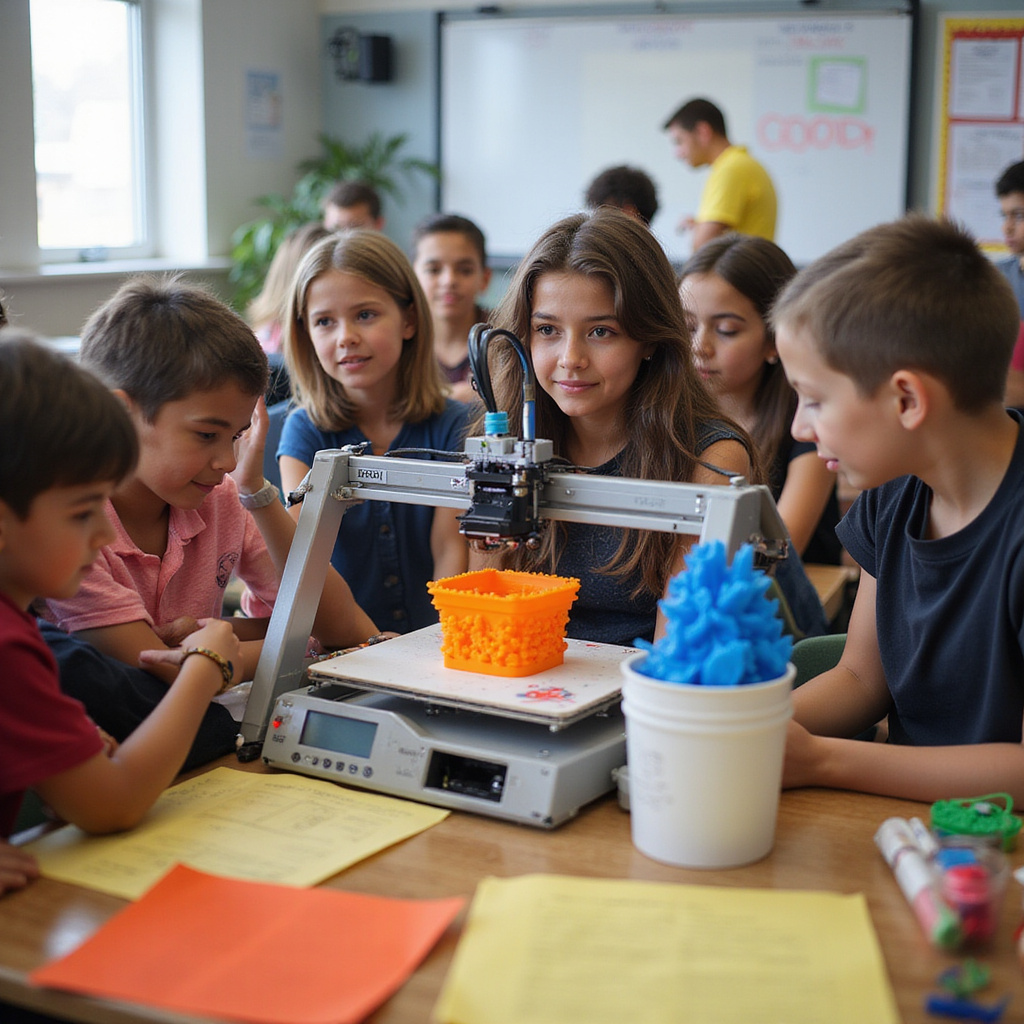
Districts should plan for scale. Choose systems that support multiple classrooms, shared student accounts, and centralized management. This makes it easy to expand programs without creating extra IT workload.
3D Printer for School: How to Choose, Implement, and Scale K 12 3D Printing With Confidence
Buying a 3D printer for school is about more than price. You need safety, reliability, and results. The right 3D educational printer and implementation plan help teachers and students succeed with 3D printing quickly.
For most classrooms, an enclosed desktop FDM school 3D printer using PLA filament offers safe, affordable STEM projects. For advanced programs that demand precision, consider different materials, proper ventilation, and structured supervision.
Plan training, curriculum alignment, slicer settings, storage, and maintenance so students can print successfully in week one.
Contact us for a free quote and rollout checklist.
Why a 3D Printer for School Is Now Essential for Modern K 12 Learning
A 3D printer for school has moved from a nice extra to essential classroom technology. When students can hold a concept in their hands, learning becomes more concrete and memorable. Geometry models, science tools, and robotics parts help connect theory to practice. Schools benefit from stronger engagement, project based learning, and measurable instructional outcomes.
Today’s 3D school printers are built for classrooms. Quiet operation, enclosed designs, safer materials like PLA filament, and automatic bed leveling reduce setup time and failures. This reliability matters when programs scale across classrooms, labs, and makerspaces.
Career readiness continues to rise in importance. By integrating 3D printing into STEM and CTE programs, students experience real design to production workflows used in engineering and manufacturing. They move from CAD to slicer software, then to finished prototypes, building job ready skills.
What Does a 3D Printer for School Actually Do in the Classroom
A 3D educational printer converts digital designs into physical learning tools. Students create models using 3D design software, export files, and print real objects. This hands on workflow strengthens spatial reasoning, reinforces problem solving, and supports visual learners who benefit from tangible learning materials during lessons.
From Prototypes to Projects: Real Examples of 3D Printing in STEM, Art, and CTE
Students use 3D printers to produce robotics brackets, engineering prototypes, architectural models, art sculptures, and classroom manipulatives. These projects support inquiry based learning and allow students to test ideas quickly. Iteration becomes part of the learning process as designs improve with feedback and real world constraints.
How 3D Printing Supports STEM, CTE, and Project Based Learning Outcomes
3D printing supports project based learning by connecting theory to application. Students research, design, test, and refine physical models that represent their understanding. This process strengthens technical skills while improving collaboration, planning, and communication across STEM, art, and career focused courses.
Critical Thinking, Design Thinking, and Career Ready Skills Students Build With 3D Printers
Students learn to analyze problems, prototype solutions, and refine designs based on results. They practice design thinking, spatial reasoning, and iterative improvement. These skills mirror professional workflows in engineering and manufacturing, helping students build confidence with tools and processes used in modern technical careers.
Key Features to Look for in a 3D Printer for School Environments
Buying a 3D printer for school is about selecting a dependable classroom tool. Success comes from predictable performance, simple operation, and safety features that allow teachers to focus on instruction. A classroom ready printer should minimize downtime and support daily student use with limited supervision.
How to Evaluate Safety, Reliability, and Maintenance Needs for School 3D Printers
A school 3D printer must withstand frequent use. Look for enclosed designs, automatic bed leveling, filament detection, and easy maintenance access. Reliable hardware reduces failed prints and lost class time. Maintenance routines should be simple so educators can keep devices running without advanced technical skills.
Enclosures, Filtration, and Classroom Safe Materials for Student Use
Enclosures and filtration systems help control fumes and heat. Classroom safe materials like PLA filament support safe use across grade levels. These features help meet safety guidelines and ensure printers can operate in shared spaces without disrupting learning environments or requiring specialized ventilation systems.
What Specs Really Matter: Build Volume, Print Quality, and Classroom Ready Software
Focus on build volume that fits typical projects, consistent print quality, and software that students can learn quickly. Classroom ready software with simple interfaces helps teachers manage files and print queues while reducing technical barriers for student users during daily lessons.
User Friendly Slicing Software, Device Management, and LMS Integration
Slicing software should be easy to use and compatible with common classroom workflows. Device management tools help monitor print jobs and queue requests. LMS integration supports lesson planning and file sharing so 3D printing fits naturally into classroom instruction and project submissions.
How to Choose the Right 3D Printer for School Makerspaces, Labs, and Classrooms
Choosing the right 3D printer for school use starts with reliability. A dependable printer reduces interruptions and maximizes instructional time. Schools benefit from enclosed desktop models with automatic bed leveling, quiet operation, and responsive technical support.
Questions to Ask Before You Buy a 3D Printer for School Use
Ask about safety features, maintenance frequency, replacement parts, and warranty coverage. Confirm software compatibility with common design tools. Review support response times and training resources so staff can resolve issues quickly and keep learning activities on schedule.
Matching 3D Printer Capabilities to Grade Levels, Subjects, and Class Sizes
Match printer capabilities to student needs and class schedules. Larger build volumes and faster print speeds help high demand classrooms. Younger grades benefit from enclosed, simplified printers. Align features with subject requirements so projects can be completed within typical class periods.
Comparing Entry Level vs Advanced 3D Printers for K 12 Programs
Entry level printers work well for basic projects and introductory lessons. Advanced printers support multiple materials and higher precision for engineering programs. Schools should align printer complexity with staff experience and curriculum goals to avoid unnecessary technical challenges.
Total Cost of Ownership: Consumables, Warranties, and Long Term Support
Consider filament costs, replacement parts, warranties, and ongoing support. Total cost of ownership affects long term program success. Budgeting for supplies and service ensures printers remain operational throughout the school year and across multiple student cohorts.
Implementing a 3D Printer for School: Rollout, Training, and Classroom Integration
Implementing a 3D printer for school requires clear ownership and planning. Assign responsibility for setup, maintenance, materials, and scheduling. Connect 3D printing to curriculum goals so it becomes part of daily instruction rather than an occasional activity.
How to Roll Out a 3D Printing Program Across a School or District
Begin with pilot classrooms or makerspaces. Develop a request system for print jobs and establish shared guidelines. Expand access gradually to ensure reliability, equity, and consistent support as demand grows across departments and grade levels.
Pilot Programs, Equity of Access, and Scheduling for High Demand Equipment
Pilot programs help refine workflows before full rollout. Equity planning ensures all students access 3D printing opportunities. Clear scheduling systems prevent bottlenecks and allow multiple classes to share equipment without disrupting instructional plans.
Teacher Training, Student Certification, and Ongoing Support for 3D Printing
Provide training for teachers on basic maintenance and workflow. Offer simple student certifications to promote responsible use. Ongoing support ensures staff confidence and keeps printers operational throughout the academic year.
Curriculum Ideas and Classroom Projects for Your 3D Printer for School
A 3D printer for school supports curriculum when projects align with learning objectives. Begin with simple designs that fit short class periods. As students gain confidence, introduce design challenges that require planning, testing, and iteration.
3D Printing Lesson Ideas for STEM, Art, and Cross Curricular Projects
Use 3D printing for math manipulatives, science models, engineering prototypes, and art projects. Cross curricular activities can connect history, writing, and design. These projects help students visualize abstract concepts and apply creative problem solving skills.
How to Assess Student Learning With 3D Printing Projects
Assess learning through design journals, prototypes, and reflection. Evaluate problem solving, iteration, and final output quality. Rubrics can measure technical accuracy, creativity, and application of course concepts to real world challenges.
Partnering With a Trusted 3D Printer for School Provider to Ensure Long Term Success
A 3D printer for school performs best with strong vendor support. Trusted partners help schools select appropriate hardware, standardize workflows, and plan for long term maintenance. This support keeps programs sustainable and reduces technical burdens on educators.
Why Ongoing Training, Support, and Supplies Matter as Much as the 3D Printer
Ongoing training helps teachers adapt to updates and new projects. Reliable supply chains prevent downtime caused by missing filament or parts. Support services keep devices running so classrooms stay productive throughout the school year.
How AGC Education Supports Schools Through Implementation and Beyond
AGC Education provides printer selection guidance, rollout planning, training resources, and ongoing technical support. Schools benefit from standardized workflows, consistent supplies, and expert assistance that ensures long term success with 3D printing programs.
education 3d printer fdm 3d printing 3d educational printer 3d printers 3d printers 3d printer 3d printers pla 3d printer education 3d printer resin 3d printing 3d printer 3d educational printer clay 3d printers stem stereolithography 3d printing 3d printer curriculum 3d printer 3d printing 3d educational printer 3d printers 3d printing 3d printer 3d printers 3d printer 3d printing 3d printing 3d printing additive manufacturing 3d educational printer 3d printing 3d printers 3d printer classroom stem learning 3d printers sls 3d printer clay pla sla additive manufacturing teacher 3d educational printer fdm 3d printers sls learning 3d printer 3d educational printer 3d educational printer high school 3d educational printer education 3d printing fdm 3d printer 3d printer curriculum 3d printers education 3d printers 3d printer education 3d educational printer 3d educational printer 3d printing 3d educational printer sls sla 3d printers resin 3d modeling software 3d educational printer 3d printers 3d printing 3d printer 3d educational printer 3d printing 3d printing 3d educational printer 3d printing pla fdm fused deposition modeling 3d educational printer 3d printers sla fdm 3d printers 3d printers 3d printers 3d printer fused deposition modeling fused deposition modeling 3d educational printer pla 3d printer education stem 3d educational printer 3d printers 3d printing ceramic 3d printing 3d printing makerspaces 3d printers 3d printers 3d educational printer education 3d educational printer learning sla 3d printing 3d educational printer ecosystem 3d printer 3d printing 3d printing 3d printers 3d printer 3d educational printer hands-on learning 3d educational printer